
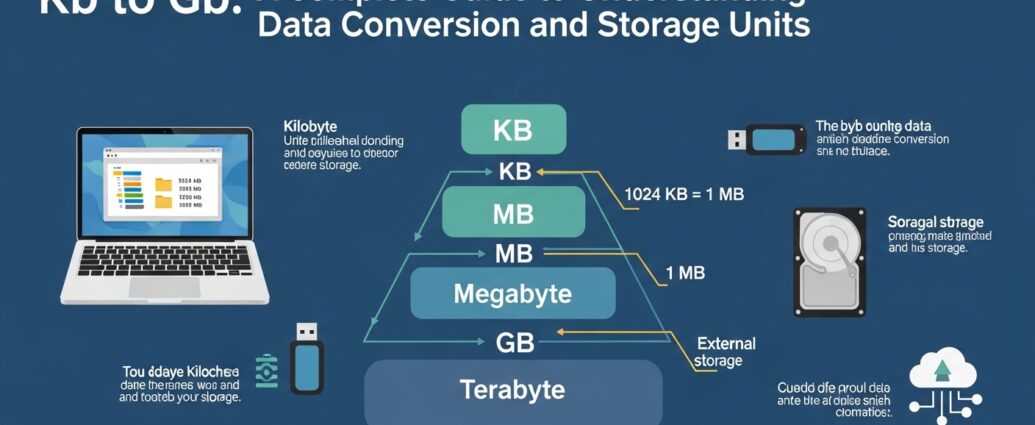
In today’s digital world, data storage and file sizes are essential concepts for anyone using computers, smartphones, or cloud services. Understanding how to convert kb to gb helps users manage storage efficiently and make informed decisions when handling files. Whether you are downloading media, transferring documents, or managing databases, knowing the relationship between kilobytes and gigabytes is important. This guide explains the fundamentals of data units, conversion methods, and practical uses of kb to gb conversions in a simple and professional way for everyday users and technology enthusiasts.
Understanding the Basics of Data Measurement
Data measurement is based on standardized units that represent digital information. The smallest unit is a bit, followed by a byte, which consists of eight bits. From there, larger units are formed, including kilobytes, megabytes, gigabytes, and beyond. Kilobytes represent relatively small amounts of data, often used for simple text files or small images. Gigabytes, on the other hand, represent much larger storage capacities commonly used in modern devices. Understanding these units is essential for interpreting file sizes and storage requirements accurately when dealing with digital content and systems.
What is a Kilobyte in Simple Terms
A kilobyte is a unit of digital information that equals 1024 bytes in most computing systems. It is commonly used to measure small files such as documents, basic images, or short text data. In practical terms, a kilobyte represents a very small portion of modern storage devices. As technology has advanced, file sizes have increased significantly, making kilobytes less commonly used for describing large files. However, they remain important for understanding the foundation of data measurement and serve as a stepping stone toward larger units like megabytes and gigabytes.
What is a Gigabyte and Why It Matters
A gigabyte is a much larger unit of data storage, equivalent to 1024 megabytes or over one billion bytes. It is commonly used to measure the capacity of storage devices such as smartphones, laptops, and external drives. Gigabytes are also used to describe file sizes for high-quality videos, applications, and software programs. Understanding gigabytes is important because most modern digital activities involve handling data at this scale. From streaming content to storing large files, gigabytes provide a practical way to measure and manage significant amounts of digital information efficiently.
The Relationship Between KB and GB
The relationship between kilobytes and gigabytes is based on a hierarchical structure of data units. Each unit is a multiple of the previous one, following a binary system commonly used in computing. Since one gigabyte equals 1024 megabytes and one megabyte equals 1024 kilobytes, the conversion between kb to gb involves several steps. This relationship allows users to understand how small data units combine to form larger ones. By recognizing this connection, it becomes easier to estimate file sizes, manage storage space, and perform accurate conversions in various digital contexts.
How to Convert KB to GB Step by Step
Converting kb to gb involves dividing the kilobyte value by a series of factors. First, convert kilobytes to megabytes by dividing by 1024. Then, convert megabytes to gigabytes by dividing again by 1024. This two-step process simplifies the conversion and ensures accuracy. For example, a large number of kilobytes can be reduced to a smaller gigabyte value through these calculations. Understanding this method helps users quickly estimate storage requirements without relying on external tools, making it useful for students, professionals, and anyone working with digital data.
Practical Examples of KB to GB Conversion
In real-world scenarios, kb to gb conversion is often used when dealing with file storage or data transfer. For instance, a document sized at several thousand kilobytes may still only occupy a fraction of a gigabyte. On the other hand, multimedia files such as videos or high-resolution images can reach sizes measured in gigabytes. By converting kilobytes into gigabytes, users can better understand how much space a file will occupy on a device. This knowledge is especially helpful when planning storage upgrades or managing limited storage capacity on digital devices.
Importance of Understanding Data Conversion in Daily Use
Understanding kb to gb conversion is useful in everyday digital activities. When downloading files, installing software, or uploading content, users often encounter different file size units. Knowing how to interpret these units helps avoid confusion and ensures efficient use of storage space. It also assists in comparing file sizes and estimating download times based on internet speed. This knowledge is valuable for both personal and professional use, as it improves decision-making and helps users optimize their digital resources effectively in a technology-driven environment.
Common Mistakes When Converting KB to GB
One common mistake when converting kb to gb is ignoring the correct conversion factor of 1024. Some users mistakenly use 1000 as a divisor, which can lead to inaccurate results. Another issue is skipping intermediate steps such as converting kilobytes to megabytes before reaching gigabytes. These errors can cause confusion when estimating file sizes or storage capacity. To avoid such mistakes, it is important to follow the standard conversion method and understand the underlying structure of digital data units. Accuracy is essential when working with storage and data calculations.
Tools and Methods for Easy Conversion
There are various tools available to simplify kb to gb conversion. Online calculators, mobile applications, and built-in system utilities can quickly perform the conversion without manual calculations. These tools are especially helpful when dealing with large numbers or when precision is required. However, having a basic understanding of the conversion process remains important, as it allows users to verify results and gain better insight into data measurement. Combining practical knowledge with available tools ensures efficiency and accuracy when handling digital storage and file size conversions.
Conclusion
Kb to Gb understanding how to convert kb to gb is an essential skill in today’s digital environment. It helps users manage storage, interpret file sizes, and make informed decisions when handling data. By learning the relationship between kilobytes and gigabytes, individuals can better navigate modern technology and avoid common mistakes. Whether for personal use or professional tasks, this knowledge enhances efficiency and clarity in dealing with digital information. As data continues to grow in size and importance, mastering these basic concepts remains a valuable part of digital literacy.